

HTML and Javascript
<!DOCTYPE html>
<html lang="en">
  <head>
    <meta charset="UTF-8" />
    <meta name="viewport" content="width=device-width, initial-scale=1.0" />
    <link rel="stylesheet" href="style.css" />
    <title>Animated Navigation</title>
  </head>
  <body>
    <nav id="nav">
      <ul>
        <li><a href="#">Home</a></li>
        <li><a href="#">About</a></li>
        <li><a href="#">Contact Us</a></li>
        <li><a href="#">Blog</a></li>
      </ul>
      <button class="icon" id="toggle">
        <div class="line line1"></div>
        <div class="line line2"></div>
      </button>
    </nav>
    <script>
        const toggle = document.getElementById('toggle')
        const nav = document.getElementById('nav')

        toggle.addEventListener('click', () => nav.classList.toggle('active'))
    </script>

    <!-- Dribbble link: https://dribbble.com/shots/2427219-Header-Navigation-Day-053-dailyui -->
  </body>
</html>
CSS
body {
    background: #9796f0;  /* fallback for old browsers */
    background: -webkit-linear-gradient(to top, #fbc7d4, #9796f0);  /* Chrome 10-25, Safari 5.1-6 */
    background: linear-gradient(to top, #fbc7d4, #9796f0); /* W3C, IE 10+/ Edge, Firefox 16+, Chrome 26+, Opera 12+, Safari 7+ */
    height: 100vh;
    float: right;
    font-family: system-ui;
  }

  nav {
    background-color: #fff;
    padding: 10px;
    width: 50px;
    display: flex;
    align-items: center;
    justify-content: center;
    border-radius: 3px;
    box-shadow: 0 2px 5px rgba(0, 0, 0, 0.3);
    transition: width 0.6s linear;
    overflow-x: hidden;
  }

  nav.active {
    width: 350px;
    padding: 20px
  }

  nav ul {
    display: flex;
    list-style-type: none;
    padding: 0;
    margin: 0;
    width: 0;
    transition: width 0.6s linear;
  }

  nav.active ul {
    width: 100%;
  }

  nav ul li {
    transform: rotateY(0deg);
    opacity: 0;
    transition: transform 0.6s linear, opacity 0.6s linear;
  }

  nav.active ul li {
    opacity: 1;
    transform: rotateY(360deg);
  }

  nav ul a {
    position: relative;
    color: #000;
    text-decoration: none;
    margin: 0 10px;
  }

  .icon {
    background-color: #fff;
    border: 0;
    cursor: pointer;
    position: relative;
  }

  .icon:focus {
    outline: 0;
  }

  .icon .line {
    background-color: #5290f9;
    height: 2px;
    width: 30px;
    transition: transform 0.6s linear;
  }

  .icon .line2 {
    margin-top: 10px;
  }

  nav.active .icon .line1 {
    transform: rotate(-765deg) translateY(5.5px);
  }

  nav.active .icon .line2 {
    transform: rotate(765deg) translateY(-5.5px);
    margin-top: 5px;
  }
Output
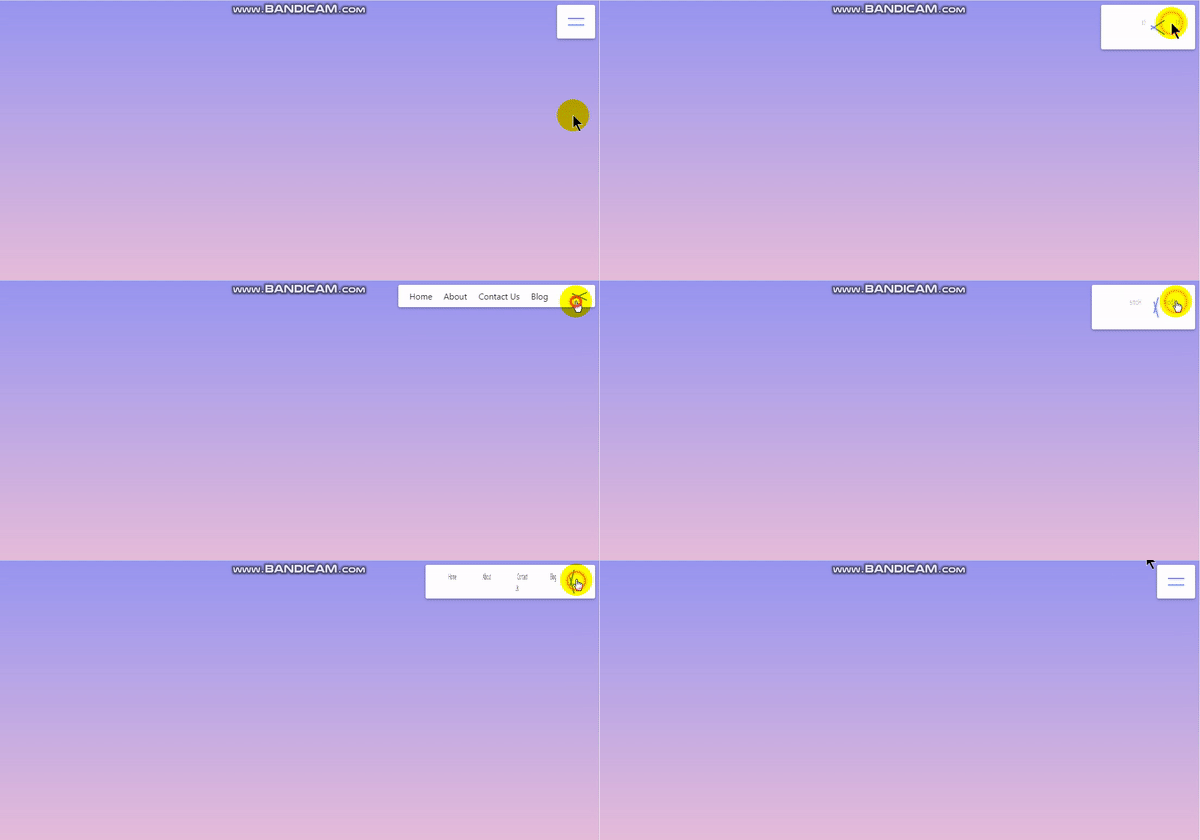
My Blog:- Beginner Developer Blog
Website:- https://ejaazrkhan.github.io/portfolio

This may well be a great snippet but it really needs some explanatory text to show how and why it works, maybe provide some context about when and why to use or how it's better than alternatives.