How to Manage the TOC of Articles on dev.to?
Boris Jamot ✊ /

Boris Jamot ✊ / @biros

About: Software Crafter 🐘 / 🐹 + 👷 = 🚀

Location:
🇫🇷 Caen, Normandy
Joined:
Aug 12, 2018

How to Manage the TOC of Articles on dev.to?

Publish Date: Sep 7 '18
24 7

I know there is no current standard in Markdown to write Table Of Content, but does anyone knows a trick to do it on dev.to?
Could it work by using HTML anchors?
But how can I know the future URL of the article I'm currently writing?

Any help would be welcome :)

Comments 7 total

  • rhymes
    rhymesSep 7, 2018

    You can use inline anchors with Markdown:

    ## TOC
      * [Chapter 1](#chapter-1)
      * [Chapter 2](#chapter-2)
      * [Chapter 3](#chapter-3)
    
    ### Chapter 1 <a name="chapter-1"></a>
    
    Enter fullscreen mode Exit fullscreen mode

    This way you don't need to know the final URL

    • Rémi Lavedrine
      Rémi LavedrineSep 11, 2018

      Thanks for the question and the answer.
      I didn't know that trick and I am going to try it in my next post.

    • Helen Anderson
      Helen AndersonNov 18, 2018

      Thank you! This is just what I’ve been looking for.

      • Benny Code
        Benny CodeAug 18, 2021

        The Editor Guide is also a nice resource to find out what's possible on dev.to: dev.to/p/editor_guide#markdown-links

        • iamtodor
          iamtodorSep 13, 2022

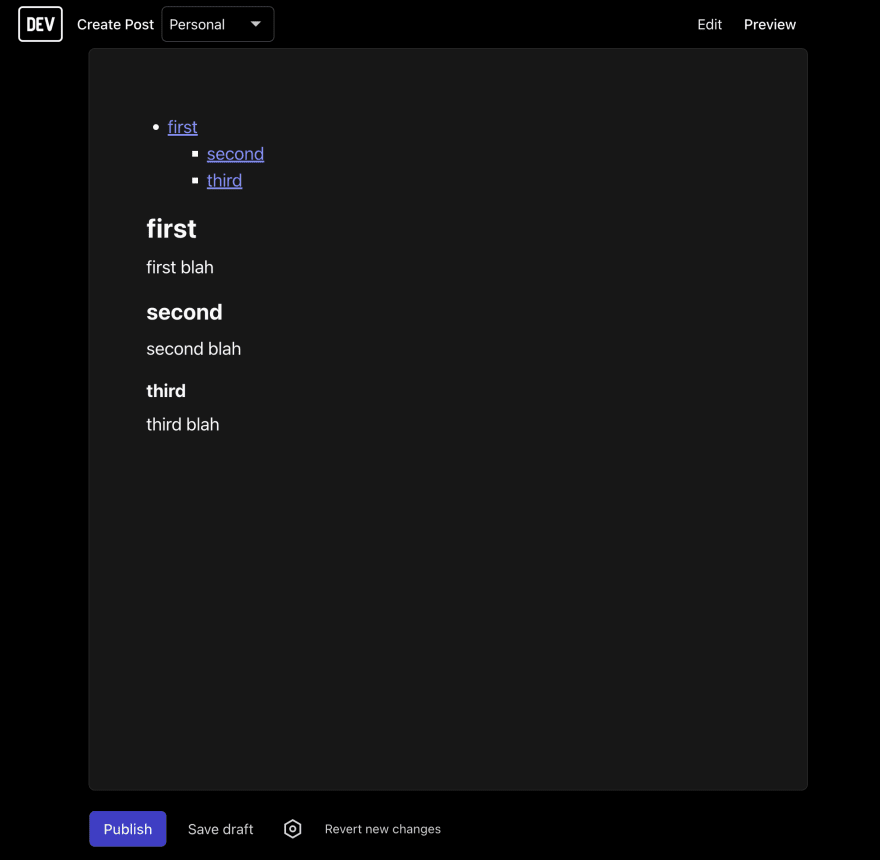
          I faced the issue when dev.to does not rended a few levels of table of content:

          - [first](#first)
            * [second](#second)
              + [third](#third)
          
          ## first
          
          first blah
          
          ### second 
          
          second blah 
          
          #### third
          
          third blah
          
          Enter fullscreen mode Exit fullscreen mode

          While markdown is rendering it as three level of content dev.to renders it only as two. What is the best way to tackle this problem?

          Image description

          • Sylvie Fiquet
            Sylvie FiquetSep 15, 2022

            I managed to get a third level by using a 5 space indent:

            - level 1
              - level 2
                 - level 3
            
            Enter fullscreen mode Exit fullscreen mode
            • level 1
              • level 2
                • level 3

            Not sure why a 4 space indent doesn't work, possibly because it's interpreted as code.

  • Lucy Linder
    Lucy LinderJan 2, 2023

    Most solutions I found on dev.to are so tedious, I created a tool to do it for you: derlin.github.io/bitdowntoc/ (choose the dev.to preset ;))

    To know more, see my article:

Add comment