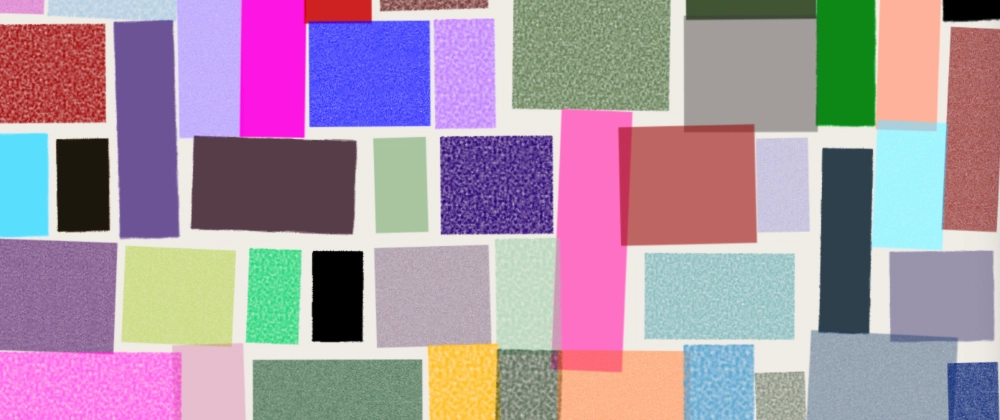

Have you ever explored the power of grid-auto-flow: dense? When combined with randomly generated values (constrained within a set range), you can use grid-column and grid-row properties to create cool, grid-based art. Let’s dive in!
First, let’s create a base grid structure:
main {
  display: grid;
  grid-auto-flow: dense;
  grid-template-columns: repeat(auto-fill,
 minmax(var(--w, 4cqi), 1fr));
}
-
display: grid: Establishes a CSS grid layout. -
grid-auto-flow: dense: Automatically fills gaps in the grid by repositioning items to minimize empty spaces. -
grid-template-columns: Defines a responsive column layout. Here, columns are created automatically to fill the available space (auto-fill), each with a minimum width of--w(defaulting to4cqi) and a maximum width of1fr.
At this point, --w is undefined, so the default value (4cqi) is used. Here’s what the initial grid looks like:

Next, we’ll fill the grid with a bunch of <b>-nodes. As we render these with JavaScript, we add 2 variables per node:
-
--gc: Number of columns to span. -
--gr: Number of rows to span.
Here’s how we generate random values in JavaScript:
const random = (min, max) =>
  Math.random() * (max - min) + min

const column = () =>
`--gc:${Math.floor(random(0, 4))};`

const row = () =>
`--gr:${Math.floor(random(0, 3))};`
In CSS, we apply these custom properties:
b {
  background: oklch(var(--l) var(--c) var(--h) / var(--a));
  grid-column: span var(--gc);
  grid-row: span var(--gr, 1);
}
Let’s also add some random colors in oklch, using a small helper method:
const color = () => `--l:${
  random(0, 100)}%;--c:${
  random(0, 0.5)};--h:${
  random(0, 60)};--a:${
  random(0.2, 1)};`
Now we get:

Thank you, grid-auto-flow: dense!
To make things more dynamic, let’s add transformations like rotation and scaling:
b {
  rotate: var(--r);
  scale: var(--s);
}
In JavaScript, we generate random transformation values:
const transform = () =>
`--r:${random(-2, 3)}deg;
--s:${random(0.8, 1.2)};`
Let’s check it out:

Fancy! Now, to take it up a notch, let’s add some cool SVG filters.
In JavaScript, we add another small helper method to pick a random filter per <b>-node:
const filter = () =>
  `--url:url(#${
    [
      "pencilTexture",
      "pencilTexture2",
      "pencilTexture3",
      "pencilTexture4",
    ][Math.floor(random(0, 4))]
  });`
This gives us:

Now, by simply adjusting the --w property and the number of elements, we can generate vastly different artworks:

Or:

We can also adjust the start- and stop values in the color method:

Demo
Here’s a Codepen demo. I've added controls below the artwork, so you can easily tweak the properties:


Thank you for including pictures! XD this is cool.